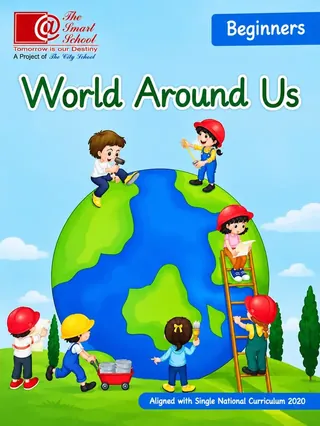
The Smart School Prep – World Around Us, Beginners (Session 2027-28)
The Smart School (A Project of The City School)
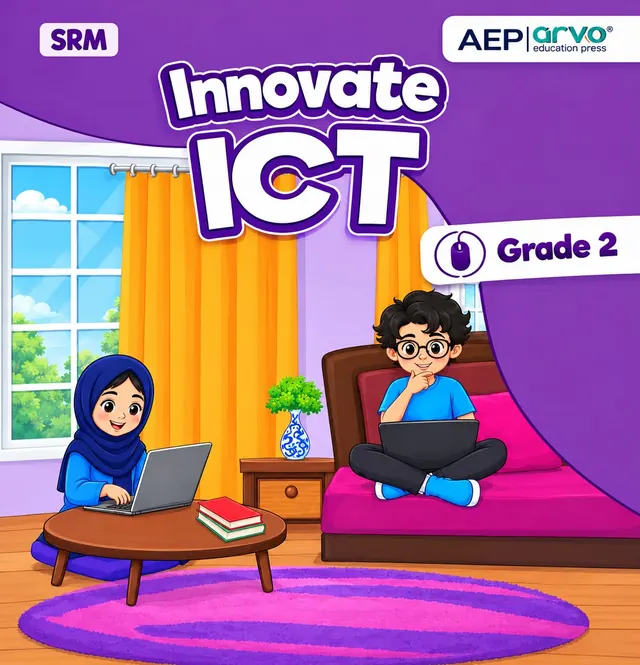
Innovate ICT Grade 2 by AEP | arvo education press for Allied School Class 2 in session 2027-28: eight units, from computer basics and e-safety to MS Paint, Word, ScratchJr and a birthday-card project, about 120 pages.
On the Allied School Class 2 book list — see the full Allied School Class 2 book pack and booksInnovate ICT, Grade 2 is the computer studies book named on the Allied School Class 2 list on this site. Published by AEP | arvo education press, it has eight units and a glossary over roughly 120 pages: how computers work, where files are stored, the internet, e-safety, drawing in MS Paint, writing in Microsoft Word, coding in ScratchJr, and a small birthday-card business project. This page is written for the 2027-28 session.
Exams Book House, Shop Number 4, Al Fazal Market, Urdu Bazar, Lahore, supplies it with cash on delivery across Pakistan and delivery to the Gulf countries.
A computer book for seven-year-olds should show that a computer is something to make things with, not only to watch. The cover does this by showing children typing, and the units back it up: drawing, writing and coding. The book first teaches the words and ideas (what a computer is, what its parts do, where files go), then the internet and safety, then the hands-on skills.
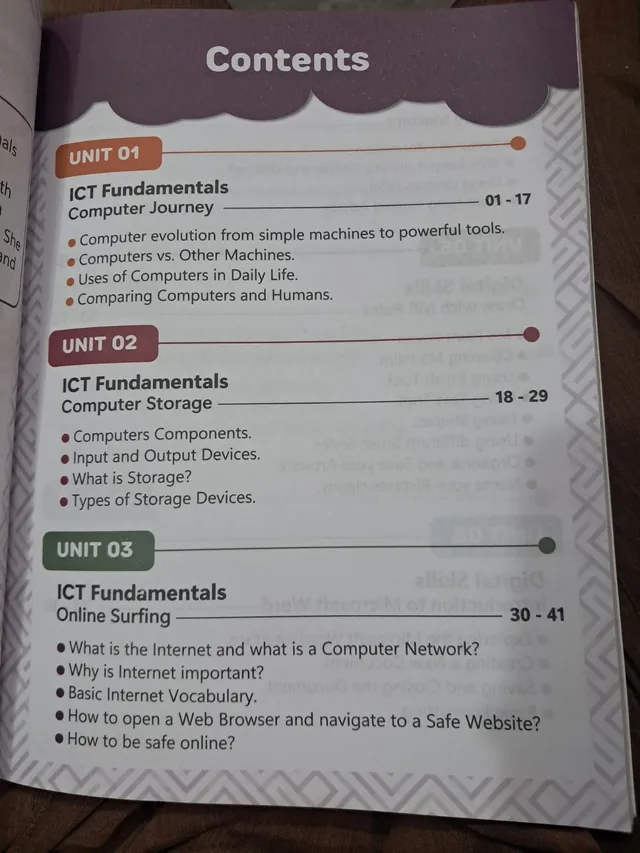
| Unit | Title | Pages | What it covers |
|---|---|---|---|
| 1 | ICT Fundamentals: Computer Journey | 1–17 | How computers grew from simple machines into powerful tools; computers versus other machines; uses in daily life; computers and humans compared |
| 2 | ICT Fundamentals: Computer Storage | 18–29 | Computer components; input and output devices; what storage is and the types of storage devices |
| 3 | ICT Fundamentals: Online Surfing | 30–41 | What the internet and a network are; why the internet matters; basic internet words; opening a web browser and reaching a safe website; staying safe online |
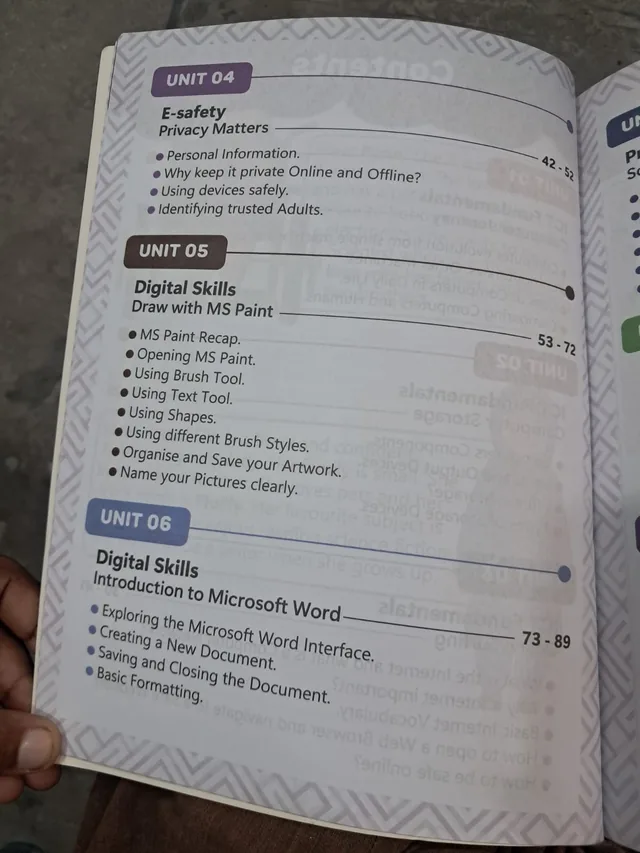
| 4 | E-safety: Privacy Matters | 42–52 | Personal information and why to keep it private online and offline; using devices safely; trusted adults |
| 5 | Digital Skills: Draw with MS Paint | 53–72 | Recap of MS Paint; opening the program; brush, text and shape tools; different brush styles; organising and saving artwork; naming pictures clearly |
| 6 | Digital Skills: Introduction to Microsoft Word | 73–89 | The Word screen; creating a new document; saving and closing; basic formatting |
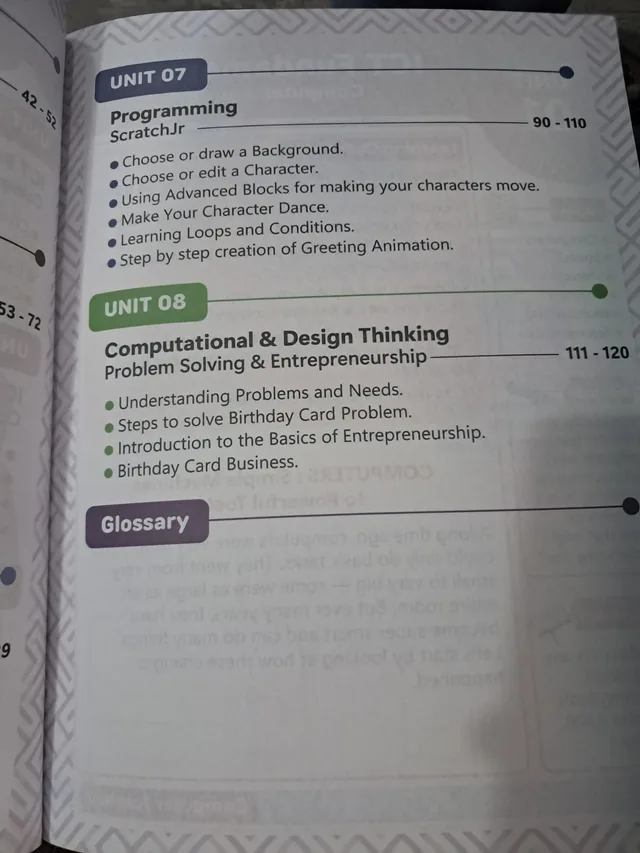
| 7 | Programming: ScratchJr | 90–110 | Choosing or drawing a background and a character; using blocks to move characters; making a character dance; loops and conditions; building a greeting animation step by step |
| 8 | Computational and Design Thinking: Problem Solving and Entrepreneurship | 111–120 | Understanding problems and needs; steps to solve a birthday-card problem; basics of entrepreneurship; a birthday-card business |
| Glossary | after page 120 | Key words of the book |
Class 2 students on the Allied School list, and parents who want to follow what the child is doing on the computer. Some units assume that MS Paint, Word and the ScratchJr app are available at school, so check with the class teacher what your child can use at home.
On this site it is shown under Allied School Class 2. If your school's 2027-28 list names Innovate ICT, Grade 2, this is the book. Send us your list on WhatsApp and we will tell you what we can get for you.
innovate ict grade 2 · innovate ict computer class 2 allied school · aep arvo education press computer · scratchjr class 2 book · allied school class 2 computer book 2027-28 · urdu bazar lahore allied school books · انوویٹ آئی سی ٹی گریڈ 2
It is shown there on this site. Send your school list on WhatsApp so we can confirm.
Eight units and a glossary.
Yes. Unit 7 uses ScratchJr, a block-based coding tool for young children.
Some units assume school access to MS Paint, Word and ScratchJr. Ask the class teacher.
Yes, all over Pakistan with cash on delivery, and to the Gulf countries. WhatsApp 0317 4846676.