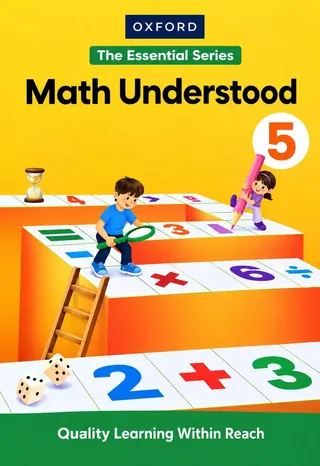
Class 5 Oxford Math Understood 5 – Essential Series (Session 2027-28)
Oxford University Press
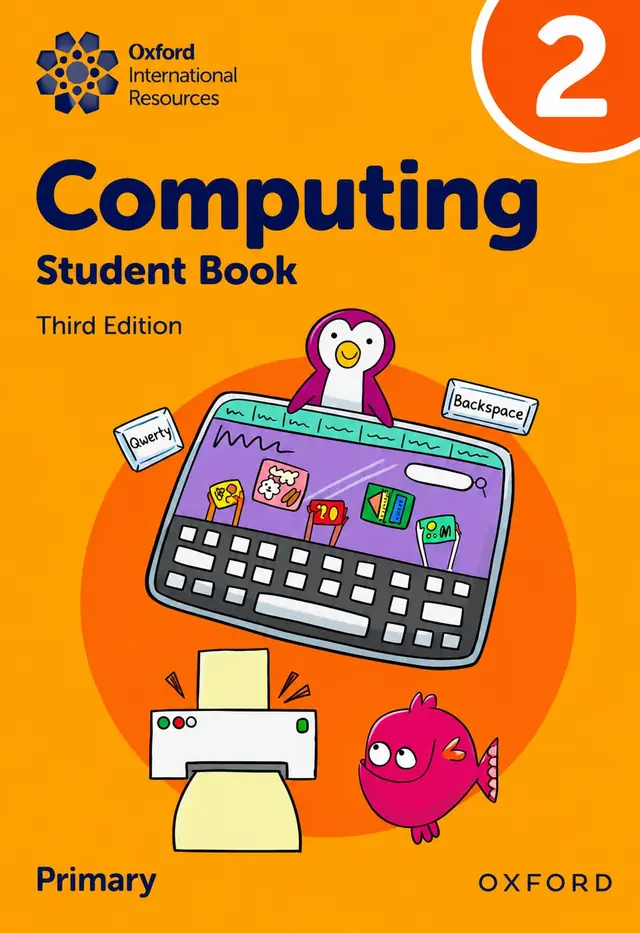
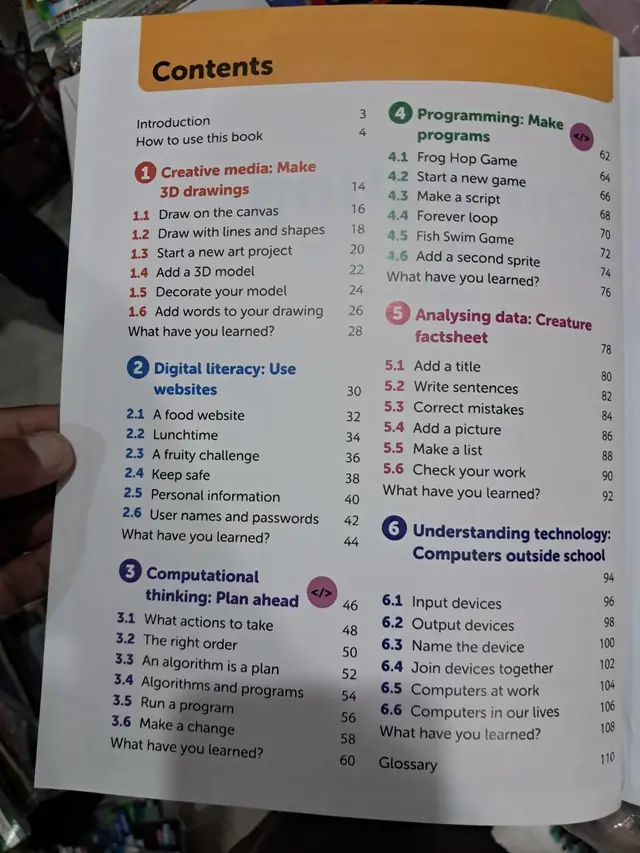
Oxford International Computing Student Book 2 (Third Edition, Primary) for Class 2 in session 2027-28: six units from 3D drawing and safe websites to algorithms, block programming, data and computers outside school.
The Oxford International Computing Student Book 2 (Third Edition) is a primary computer book for Class 2 children. In six short units it teaches drawing on a computer, using websites safely, planning with algorithms, making simple programs, writing a factsheet and naming input and output devices. Every lesson is two pages, and every unit ends with a "What have you learned?" check. It is a good choice for the 2027-28 session when your school's book list names this Oxford title.
Exams Book House, Shop Number 4, Al Fazal Market, Urdu Bazar, Lahore, supplies this Oxford computer book to parents and schools all over Pakistan. Collect it from the shop or order it on WhatsApp with cash on delivery.
It is the pupil's book of a computing course for primary schools. The word "Computing" is wider than "computer studies": the book does not only show the parts of a computer, it also teaches children to think like a programmer. Each unit has one big theme and a clear end product — a 3D drawing, a safe visit to a food website, a plan for a robot, a small game, a creature factsheet and a list of devices.
The lessons are short (two pages each) and move from easy to harder. A child first learns where to click and what the tools do, then uses them in a small project, and finally checks what they have learned. That makes the book easy to follow at home as well as in class.
Introduction — page 3 · How to use this book — page 4
| Unit | Lessons (page) |
|---|---|
| 1 Creative media: Make 3D drawings (p. 14) | 1.1 Draw on the canvas (16) · 1.2 Draw with lines and shapes (18) · 1.3 Start a new art project (20) · 1.4 Add a 3D model (22) · 1.5 Decorate your model (24) · 1.6 Add words to your drawing (26) · What have you learned? (28) |
| 2 Digital literacy: Use websites (p. 30) | 2.1 A food website (32) · 2.2 Lunchtime (34) · 2.3 A fruity challenge (36) · 2.4 Keep safe (38) · 2.5 Personal information (40) · 2.6 User names and passwords (42) · What have you learned? (44) |
| 3 Computational thinking: Plan ahead (p. 46) | 3.1 What actions to take (48) · 3.2 The right order (50) · 3.3 An algorithm is a plan (52) · 3.4 Algorithms and programs (54) · 3.5 Run a program (56) · 3.6 Make a change (58) · What have you learned? (60) |
| 4 Programming: Make programs (p. 62) | 4.1 Frog Hop Game (64) · 4.2 Start a new game (66) · 4.3 Make a script (68) · 4.4 Forever loop (70) · 4.5 Fish Swim Game (72) · 4.6 Add a second sprite (74) · What have you learned? (76) |
| 5 Analysing data: Creature factsheet (p. 78) | 5.1 Add a title (80) · 5.2 Write sentences (82) · 5.3 Correct mistakes (84) · 5.4 Add a picture (86) · 5.5 Make a list (88) · 5.6 Check your work (90) · What have you learned? (92) |
| 6 Understanding technology: Computers outside school (p. 94) | 6.1 Input devices (96) · 6.2 Output devices (98) · 6.3 Name the device (100) · 6.4 Join devices together (102) · 6.5 Computers at work (104) · 6.6 Computers in our lives (106) · What have you learned? (108) |
Glossary — page 110
Children draw on a digital canvas with lines and shapes, start a new art project, add a 3D model, decorate it and add words. It builds mouse control and confidence with a drawing program.
Using a food and lunchtime theme, children visit a website, follow a "fruity challenge" and learn three safety rules: keep safe online, protect personal information, and look after user names and passwords. This is the first step of online safety.
The unit explains that an algorithm is a plan — a list of actions in the right order. Children compare algorithms with programs, run a program and change it to see what happens.
Children build two small games, the Frog Hop Game and the Fish Swim Game, with sprites and scripts. They meet the forever loop and add a second sprite. (The two units marked with the </> coding badge in the contents are Units 3 and 4.)
Children make a factsheet about a creature: add a title, write sentences, correct mistakes, add a picture, make a list and check their work — early word-processing skills.
Input devices, output devices, naming devices, joining devices together, computers at work and computers in our daily lives.
If your school list says "Computing 2" but shows a different cover colour or edition, send us a photo of the list on WhatsApp before you order.
Schools decide their own book lists, so please check your school's list for session 2027-28. If it names Oxford International Computing Student Book 2 (Third Edition), this is the book. We supply the newest printing we receive from the publisher; ask us which edition is in stock today.
Looking for book shops in Urdu Bazar Lahore? Exams Book House keeps Oxford and Cambridge school books for KG to Class 10.
oxford computing student book 2 · oxford international computing 2 third edition · class 2 computer book oxford 2027-28 · computing book grade 2 pakistan · کلاس 2 کمپیوٹر کی کتاب · oxford computer book class 2 price in lahore · urdu bazar book shops lahore
Yes, if your school's 2027-28 list names Oxford International Computing Student Book 2 (Third Edition). Check the edition on the list; we can confirm the copy we have before you pay.
Book 2 is for Class 2 (Grade 2) in the primary section.
No. The book can be read and discussed without a computer, but a short practice on any computer or tablet helps.
Yes, at a simple level: Unit 3 explains algorithms and Unit 4 makes two small games with sprites, scripts and a forever loop.
Send the book name and your address on WhatsApp (0317 4846676). We deliver all over Pakistan with cash on delivery.