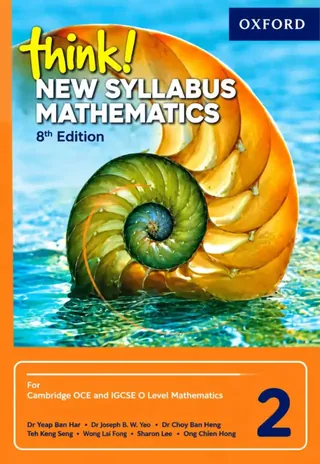
Class 7 Think! New Syllabus Mathematics 2, 8th Ed. (2027-28)
Oxford University Press
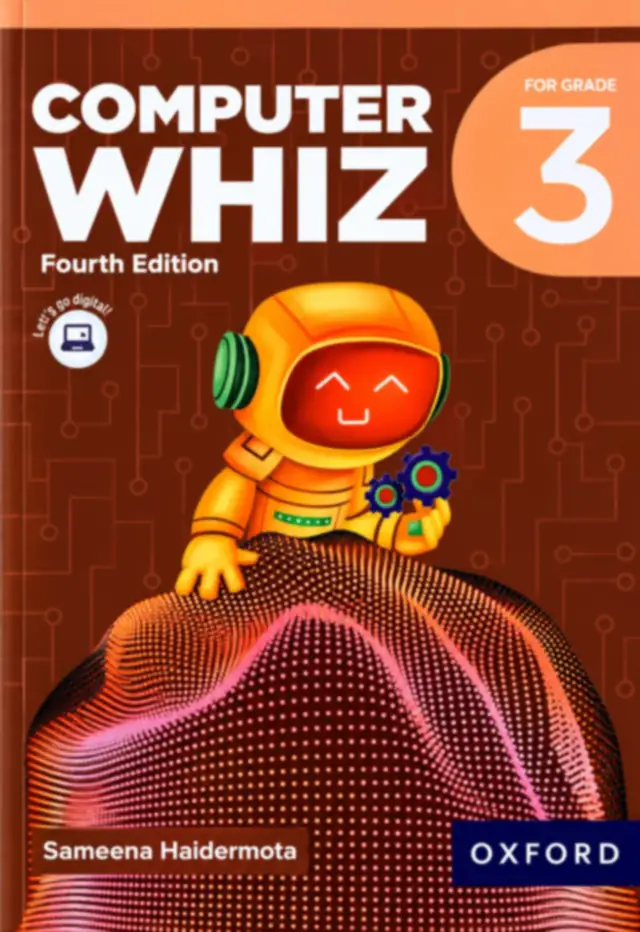
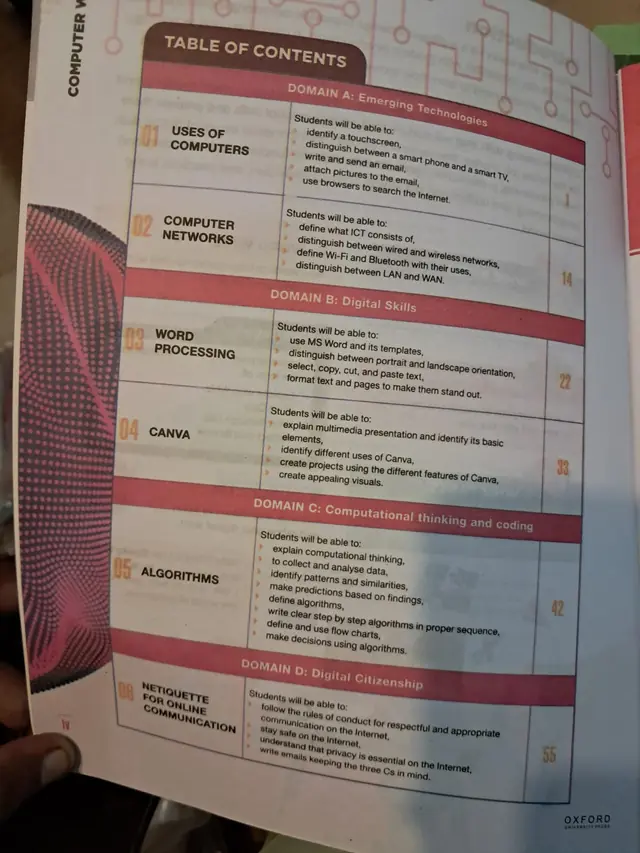
Oxford Computer Whiz 3 (Fourth Edition) by Sameena Haidermota, the Grade 3 computer book for session 2027-28: six chapters from uses of computers and networks to MS Word, Canva, algorithms with flowcharts and online manners.
Oxford Computer Whiz 3 (Fourth Edition) is the Class 3 (Grade 3) computer book on this site. It is written by Sameena Haidermota and published by Oxford University Press. The brown-red cover shows the series' astronaut-robot, and the contents are organised in four domains. This page is written for the 2027-28 session and lists every chapter, learning outcome and page number printed on the contents page.
Exams Book House, Shop Number 4, Al Fazal Market, Urdu Bazar, Lahore, supplies it with cash on delivery across Pakistan and delivery to the Gulf countries.
By Class 3 a child can already use a touchscreen. This book turns that habit into understanding: what a smartphone is compared with a smart TV, how to write and send an email with a picture attached, what ICT means, how Wi-Fi and Bluetooth differ, and how a LAN differs from a WAN. It then moves to creating things, with MS Word and Canva, and to thinking in steps, with algorithms and flow charts.
The last chapter is about manners online (netiquette): how to be respectful and safe on the Internet and how to write an email with the three Cs in mind.
| No. | Chapter | Domain | Starts on page |
|---|---|---|---|
| 01 | Uses of Computers | A: Emerging Technologies | 1 |
| 02 | Computer Networks | A: Emerging Technologies | 14 |
| 03 | Word Processing | B: Digital Skills | 22 |
| 04 | Canva | B: Digital Skills | 33 |
| 05 | Algorithms | C: Computational Thinking and Coding | 42 |
| 06 | Netiquette for Online Communication | D: Digital Citizenship | 55 |
Domain A: Emerging Technologies
Domain B: Digital Skills
Domain C: Computational Thinking and Coding
Domain D: Digital Citizenship
Word teaches a child how a document is built: the page, the text, the order. Canva shows how a document can look: colour, pictures, layout. Together they give a child the two halves of a good school project, the writing and the presentation. Many schools ask Class 3 students to make a poster or a short report, and this book prepares them for that.
Chapter 5 is the thinking chapter. It asks a child to spot patterns, make a prediction and write steps in order, then draw them as a flow chart. You can practise with no screen at all: write the steps for washing hands, making tea or getting ready for school, and draw them as boxes with arrows. If the steps are in the wrong order, the result is wrong, and that is the whole idea of an algorithm.
It is for Class 3 children, about eight years old, and is used in the weekly computer lab period. Parents can use the contents list to see which tool is coming next and ask their child to show what they made.
If your school's 2027-28 list names Oxford Computer Whiz 3 (Fourth Edition), this is the book. Check the cover and the edition on this page before you order, and send us your list on WhatsApp if you are not sure. We will tell you what we can get for you.
computer whiz 3 · oxford computer whiz grade 3 · class 3 computer book · sameena haidermota computer whiz · canva class 3 · class 3 books 2027-28 · urdu bazar lahore school books · کمپیوٹر وِز 3
The cover names Sameena Haidermota, and the publisher is Oxford University Press.
The Fourth Edition, as printed on the cover.
MS Word and Canva, plus email and browsers.
Yes. The cover says For Grade 3.
Send your school's book list on WhatsApp and we will confirm.
Yes, all over Pakistan with cash on delivery, and to the Gulf countries. WhatsApp 0317 4846676.