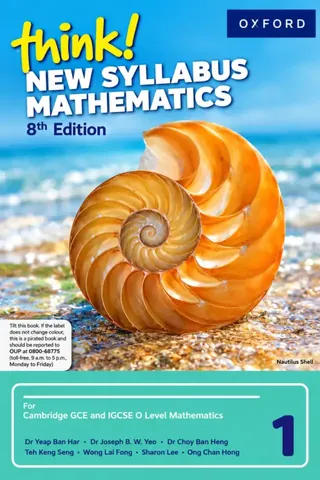
Class 7 Think! New Syllabus Mathematics 2, 8th Ed. (2027-28)
Oxford University Press
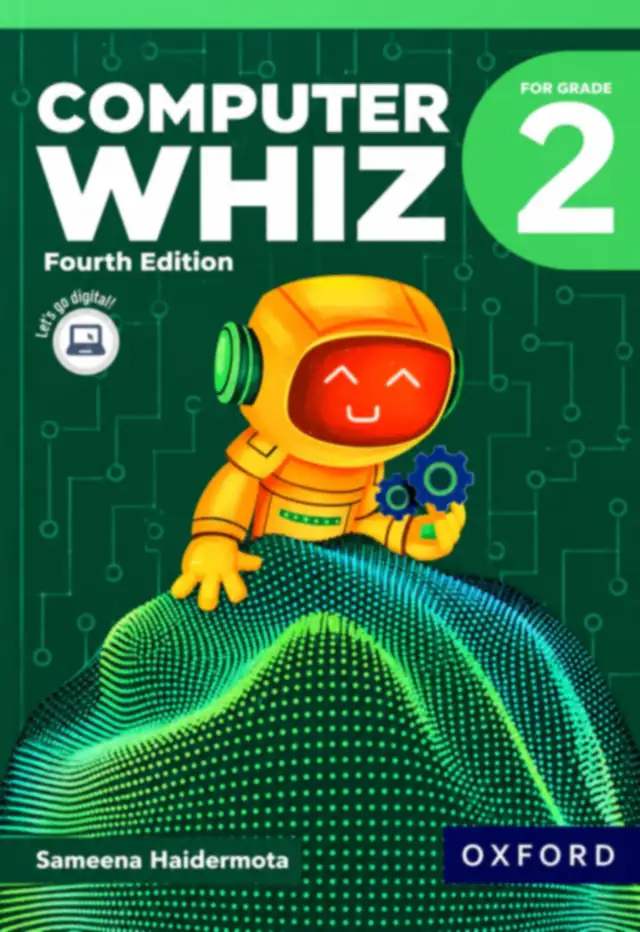
Oxford Computer Whiz 2 (Fourth Edition) by Sameena Haidermota, the Grade 2 computer book for session 2027-28: six chapters in four domains, from uses of computers and hardware to Paint 3D, simple algorithms and digital citizenship.
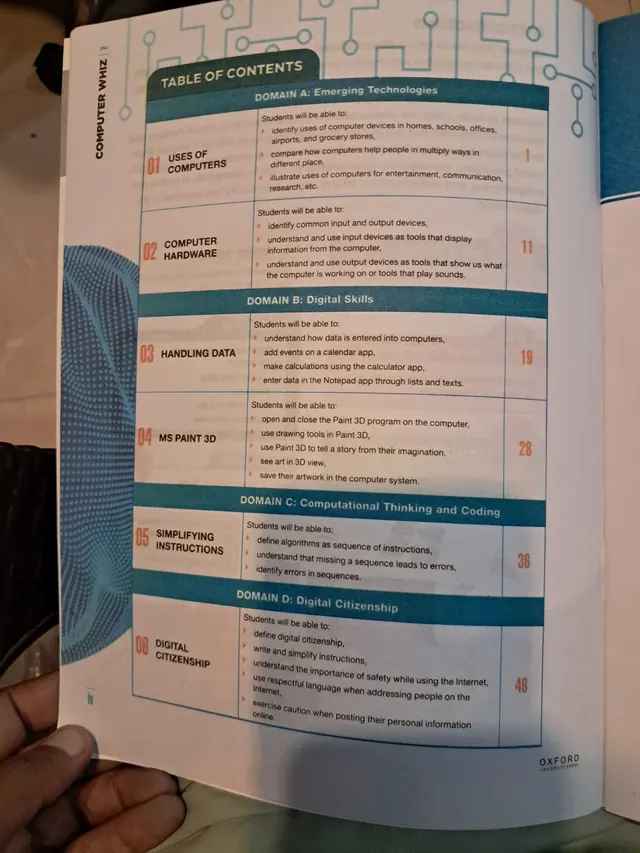
Oxford Computer Whiz 2 (Fourth Edition) is the Class 2 (Grade 2) computer book on this site. It is written by Sameena Haidermota and published by Oxford University Press, and its contents page is built around four domains: emerging technologies, digital skills, computational thinking and coding, and digital citizenship. This page is written for the 2027-28 session and shows the whole contents, with every learning outcome and page number.
Exams Book House, Shop Number 4, Al Fazal Market, Urdu Bazar, Lahore, supplies it with cash on delivery across Pakistan and delivery to the Gulf countries.
A seven-year-old uses devices every day but may not know what to call their parts or how to use them with care. Computer Whiz 2 starts there: where do we see computers, what are the input and output devices, how is data entered, and how do we draw and save a picture in Paint 3D? It then adds the first idea of coding, an algorithm as a sequence of instructions, and ends with safe and kind behaviour online.
The contents page is unusual because it lists the learning outcomes for each chapter in plain sentences that begin "Students will be able to". That makes it easy for a parent or a teacher to see exactly what a child should be able to do by the end of the chapter.
The six chapters, their domain and the page on which each begins:
| No. | Chapter | Domain | Starts on page |
|---|---|---|---|
| 01 | Uses of Computers | A: Emerging Technologies | 1 |
| 02 | Computer Hardware | A: Emerging Technologies | 11 |
| 03 | Handling Data | B: Digital Skills | 19 |
| 04 | MS Paint 3D | B: Digital Skills | 28 |
| 05 | Simplifying Instructions | C: Computational Thinking and Coding | 36 |
| 06 | Digital Citizenship | D: Digital Citizenship | 46 |
Domain A: Emerging Technologies
Domain B: Digital Skills
Domain C: Computational Thinking and Coding
Domain D: Digital Citizenship
Naming things comes before using them. When a child can say "keyboard", "mouse", "monitor" and "speaker", and tell which ones put information in and which ones show or play it, every later instruction in class becomes easier to follow. The first two chapters also remind children that computers are not only in a lab: they are in shops, airports, hospitals and homes.
Chapter 3 gives real, everyday uses of apps: put a birthday on the calendar, work out a sum on the calculator, write a shopping list in Notepad. Chapter 4 is the creative one. Paint 3D lets a child draw, colour, turn an image around and save it, which builds mouse control and a sense of pride in a finished piece of work.
It is for Class 2 children, about seven years old, and is used in the weekly computer period. Parents can use the contents list to follow the school's pace, and to ask "what did you draw in Paint 3D this week?".
If your school's 2027-28 list names Oxford Computer Whiz 2 (Fourth Edition), this is the book. Check the cover and the edition on this page before you order, and send us your list on WhatsApp if you are not sure. We will tell you what we can get for you.
computer whiz 2 · oxford computer whiz grade 2 · class 2 computer book · sameena haidermota computer whiz · ms paint 3d class 2 · class 2 books 2027-28 · urdu bazar lahore school books · کمپیوٹر وِز 2
The cover names Sameena Haidermota, and the publisher is Oxford University Press.
The Fourth Edition, as printed on the cover.
Six chapters in four domains.
Yes. The cover says For Grade 2.
Send your school's book list on WhatsApp and we will confirm.
Yes, all over Pakistan with cash on delivery, and to the Gulf countries. WhatsApp 0317 4846676.