Allied School Class 4 – Science Nature Lab Book 4 (2027-28)
AEP | Arvo Education Press
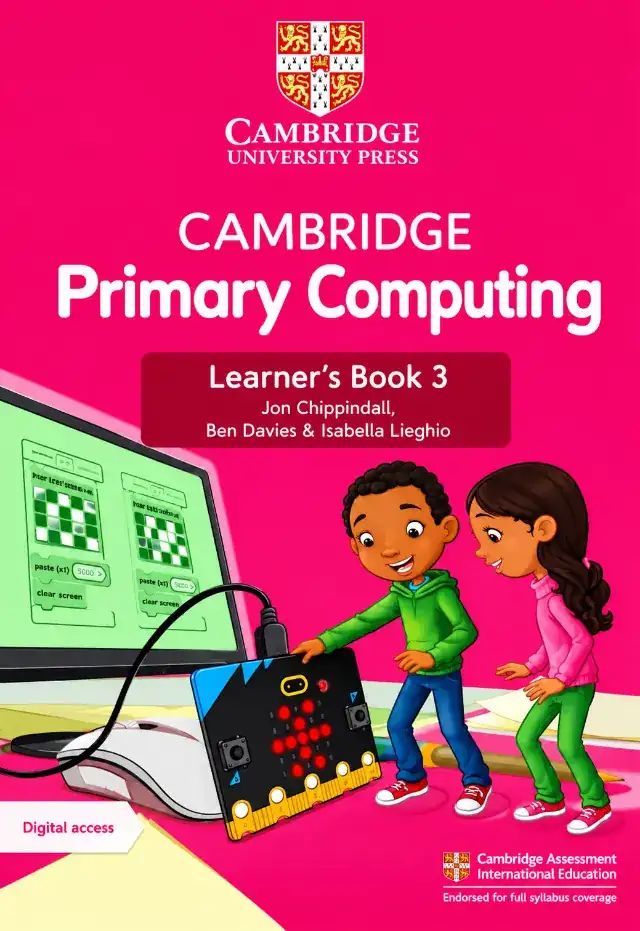
Cambridge Primary Computing Learner's Book 3 by Jon Chippindall, Ben Davies and Isabella Lieghio (Cambridge University Press) for Class 3 in session 2027-28: four units on algorithms, Scratch and the micro:bit, data, networks, robots and computer systems.
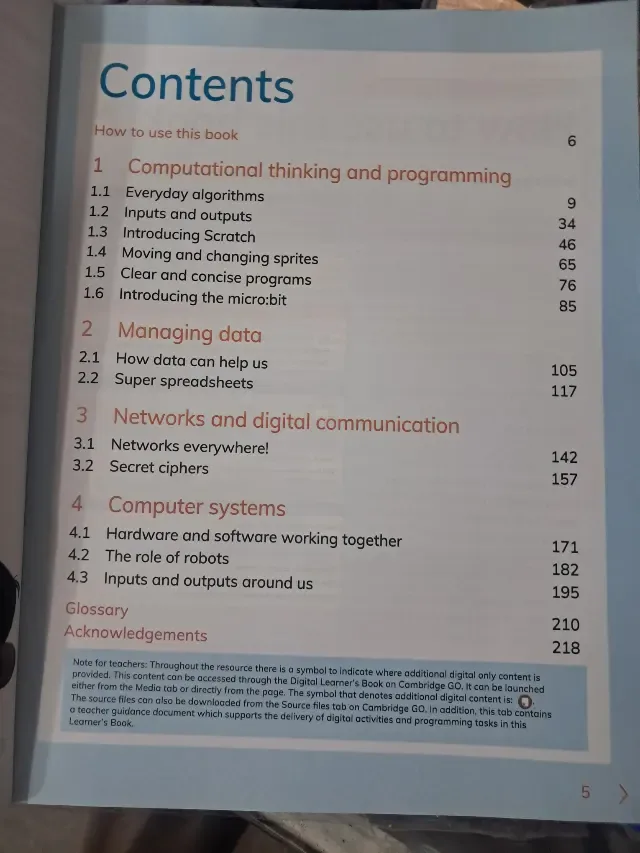
Cambridge Primary Computing Learner's Book 3 by Jon Chippindall, Ben Davies and Isabella Lieghio is the Class 3 (Stage 3) computing course book of Cambridge University Press. Its contents list four units: Computational thinking and programming (page 9), Managing data (page 105), Networks and digital communication (page 142) and Computer systems (page 171), with a glossary on page 210. This page is written for the 2027-28 session. Exams Book House, Shop Number 4, Al Fazal Market, Urdu Bazar, Lahore, supplies it with cash on delivery across Pakistan and delivery to the Gulf countries.
Computing in Class 3 is hands-on. The book moves from everyday algorithms (the steps of ordinary tasks) to inputs and outputs, then to Scratch (block-based programming), moving and changing sprites, clear and concise programs and the micro:bit, a small programmable board. Unit 1 is the longest, with 96 pages and six sections.
The other units are about the data a computer can hold (How data can help us, Super spreadsheets), networks (Networks everywhere!, Secret ciphers) and computer systems (Hardware and software working together, The role of robots, Inputs and outputs around us).
A note for teachers on the contents page says that extra digital-only content is available through Cambridge GO and that the source files and a teacher guidance document support the programming tasks.
| Unit | Section | Page |
|---|---|---|
| How to use this book | 6 | |
| 1 Computational thinking and programming | 1.1 Everyday algorithms | 9 |
| 1 Computational thinking and programming | 1.2 Inputs and outputs | 34 |
| 1 Computational thinking and programming | 1.3 Introducing Scratch | 46 |
| 1 Computational thinking and programming | 1.4 Moving and changing sprites | 65 |
| 1 Computational thinking and programming | 1.5 Clear and concise programs | 76 |
| 1 Computational thinking and programming | 1.6 Introducing the micro:bit | 85 |
| 2 Managing data | 2.1 How data can help us | 105 |
| 2 Managing data | 2.2 Super spreadsheets | 117 |
| 3 Networks and digital communication | 3.1 Networks everywhere! | 142 |
| 3 Networks and digital communication | 3.2 Secret ciphers | 157 |
| 4 Computer systems | 4.1 Hardware and software working together | 171 |
| 4 Computer systems | 4.2 The role of robots | 182 |
| 4 Computer systems | 4.3 Inputs and outputs around us | 195 |
| Glossary | 210 | |
| Acknowledgements | 218 |
Unit 1 – Computational thinking and programming (pages 9–104). Six sections. Children first write algorithms for daily tasks, then learn inputs and outputs, and then build programs in Scratch and the micro:bit. Section 1.1 alone is 25 pages, because the idea of an algorithm is the base of everything else.
Unit 2 – Managing data (pages 105–141). How data helps us make decisions and how to use a spreadsheet.
Unit 3 – Networks and digital communication (pages 142–170). Networks around us and an introduction to secret ciphers (a fun way to learn about keeping messages safe).
Unit 4 – Computer systems (pages 171–209). How hardware and software work together, what robots do and the inputs and outputs we meet every day.
Who: Class 3 (Stage 3) children in schools that follow the Cambridge Primary Computing programme. When: through the school year. Unit 1 is usually the first two terms, units 2 to 4 the last term. Page numbers: Scratch starts on page 46, the micro:bit on page 85, spreadsheets on page 117 and robots on page 182.
If your school's 2027-28 Class 3 list names Cambridge Primary Computing Learner's Book 3 by Cambridge University Press, this is the book: look for the bright pink cover with the micro:bit picture, the words "Learner's Book 3" and the authors Jon Chippindall, Ben Davies and Isabella Lieghio. Lists can change from year to year, so send yours on WhatsApp and we will match it. We supply the newest edition; ask us which edition is current.
cambridge primary computing learner's book 3 · primary computing stage 3 · jon chippindall ben davies · cambridge computing class 3 · کیمبرج پرائمری کمپیوٹنگ 3 · class 3 computer book lahore · urdu bazar lahore school books · session 2027-28
It is Cambridge Primary Computing Learner's Book 3 by Jon Chippindall, Ben Davies and Isabella Lieghio. If your school's 2027-28 Class 3 list names it, this is the right book. Send the list on WhatsApp and we will check it.
Four units with fifteen sections, from Everyday algorithms (page 9) to Inputs and outputs around us (page 195), plus a glossary on page 210.
Yes. Introducing Scratch is section 1.3 (page 46) and Moving and changing sprites is section 1.4 (page 65). The micro:bit is section 1.6 (page 85).
No. They are two different computer courses for Class 3. Use the one named on your child's list.
Yes. We deliver all over Pakistan with cash on delivery, and to the Gulf countries. Send your name, address and the book name on WhatsApp at 0317 4846676, or call the shop in Urdu Bazar, Lahore (Monday to Saturday, 9 AM – 9 PM).